

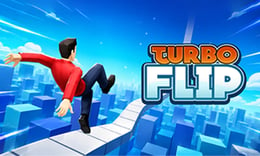


🎮 Turbo Flip
⭐ Crazy3D Editor's Pick: Turbo Flip is an exhilarating arcade game where players master high-speed ramps and perform stunning backflips. With each successful landing, players are encouraged to attempt bolder tricks, making every jump a thrilling adventure. It launches in the browser with no installation, while the guide below explains the actual objective and controls before your first serious attempt.
🔎 What Is Turbo Flip?
In Turbo Flip, players navigate steep tracks and towering ramps to execute spectacular airborne stunts. The goal is to maintain momentum through clean landings while tackling increasingly challenging courses. Each successful jump propels players forward, allowing them to explore new heights and tricks as they progress through the game.
Players control a car that accelerates down a single downhill track, launching off ramps to perform backflips. Holding the spacebar or left mouse button initiates flips, while releasing it before landing ensures a stable descent. Successful landings charge nitro boosts for further jumps, while poor timing or incomplete flips can end the run. Players continue from their highest reached level, adding a layer of challenge to each attempt.
This guide describes the hosted version of Turbo Flip on 1Games. Menus and content may vary in other versions or platforms.
🕹️ Core Gameplay: What You Do in Each Round
- Start by accelerating down the ramp, building speed for the jump.
- Launch off the ramp, holding the spacebar or left mouse button to initiate backflips.
- Release the button before landing to ensure a stable descent and maintain momentum.
- Collect coins during flips to unlock power-ups for enhanced performance.
- Continue to the next ramp, aiming for clean landings and daring tricks to progress.
The first attempt is best used to understand feedback: notice what causes a loss, what creates progress, and which input gives you time for the next decision. Once that loop is clear, improvement becomes much more consistent than simply restarting and pressing faster.
🎯 Controls
| Action | Keyboard, Mouse, or Touch |
|---|---|
| Jump and flip | Spacebar or left mouse button |
| Accelerate | On-screen control |
| Nitro boost | On-screen control |
If the title screen shows a different key, follow the in-game prompt. This is especially important for browser ports and local multiplayer games, where the host may package a newer or simplified build.
🏆 Game Modes and Progression
- Single-player mode allows players to focus on mastering their skills and achieving high scores.
- Progression mode keeps players advancing through increasingly difficult levels, enhancing the challenge.
- Endless mode encourages players to maintain momentum and perform as many tricks as possible without crashing.
Not every mode needs the same strategy. Use practice or solo play to learn a mechanic, then move to competitive or progression modes once the basic inputs no longer require conscious thought.
✨ Key Features
🔹 Power-ups
Turbo Flip includes various upgrades like speed boosts and fuel extensions that enhance gameplay and stunt performance.
🔹 Challenging courses
Players face a variety of steep tracks and ramps that test their timing and precision.
🔹 Dynamic physics
The game features physics-driven movement, making each jump and landing feel realistic and rewarding.
🔹 Coin collection
Players can earn coins through successful flips, which can be used to unlock upgrades and enhancements.
🧠 Strategy Guide: How to Improve
- Timing is crucial; release the button just before landing to maintain speed and avoid crashes.
- Practice your flips to master the timing of rotations and improve landing stability.
- Collect coins during flips to unlock valuable power-ups that enhance your performance.
- Be mindful of your speed; high velocity can reduce reaction time during jumps.
- Experiment with different tricks to discover which maneuvers yield the best rewards.
Good play usually comes from leaving yourself a second option. Whether that means an escape route, enough energy, a defensive card, a safe lane, or one unused ability depends on the game—but spending every resource on the first opportunity is rarely the strongest choice.
📱 Playing on Desktop and Mobile
Turbo Flip is designed for both desktop and mobile play, with controls optimized for keyboard and mouse. The game can be played in fullscreen mode for an immersive experience, making it accessible across various devices.
Touch support depends on the embedded build. If no virtual controls appear after the game loads, use a desktop browser and keyboard.
❓ Frequently Asked Questions
How do I perform flips?
To perform flips in Turbo Flip, hold the spacebar or left mouse button during your jump. Release it just before landing to ensure a stable descent.
What happens if I crash?
If you crash due to poor timing or incomplete flips, your run ends. However, you will start from the highest level you reached previously.
Can I unlock upgrades?
Yes, you can collect coins during your runs to unlock various upgrades that enhance your speed, fuel, and coin earnings.


